BIM → digital twin
Turn BIM models into digital twins.
Upload an IFC model and Insite View builds a 3D twin your team and homeowners open from a printed QR code — and see in AR, right on the wall.
Free access for the first 100 early adopters.
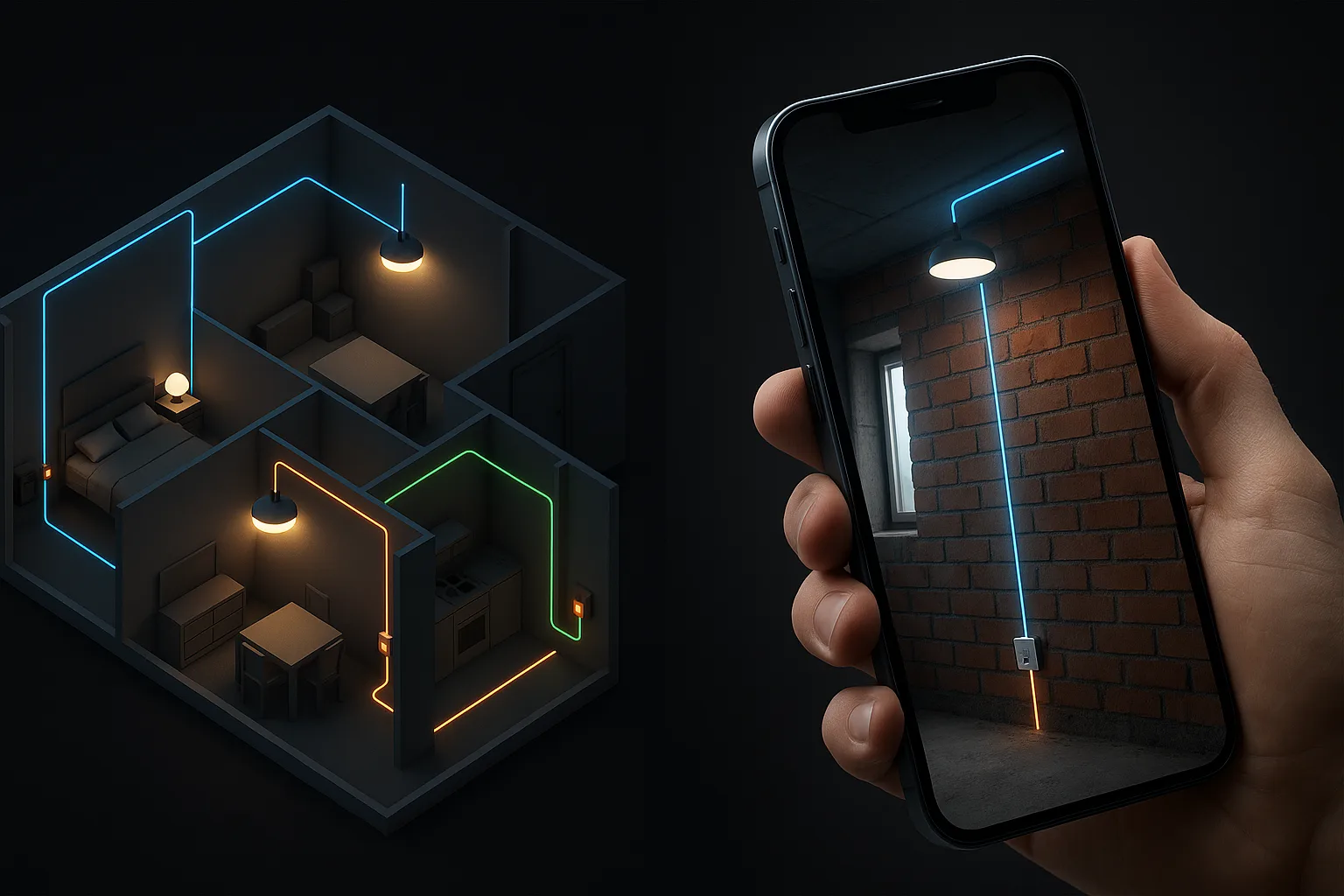
See what's inside your walls.
Find it before you cut.
Hand over a building that explains itself.
From model to the wall in four steps
- BIMYour IFC model from Revit, ArchiCAD and others.
- TwinA fast, navigable 3D twin by system and floor.
- QRPrintable plates that open the twin in any browser.
- ARPoint a phone at the plate to see inside the wall.
See what's behind the wall
Point a phone at the printed plate and the twin aligns to the real wall. Pipes, ducts, wiring and structure show up right where they run — before anyone drills.
Built for everyone who touches the building
Everything in the twin
Systems & rooms
Plumbing, HVAC, electrical and structure — browse by floor and by room.
See it in AR
Line the model up with the real wall and look inside.
Access you control
Public, PIN or private links — you decide who sees what.
Documents
Attach manuals and warranties to the element they belong to.
Free updates
Upload a newer model any time; the QR codes never change.
10-year promise
Codes work for a decade, then stay readable in a free archive.
Be the first to know
Free access for the first 100 early adopters.